

English
GrowCam C4 Manual
Product Contents
| Image | Name | Quantity |
|---|---|---|
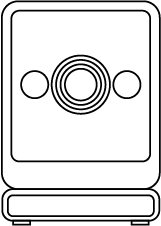
|
Camera |
1 pc |
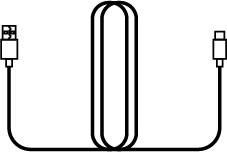
|
Power Cable |
1 pc |
|
Power Adapter |
1 pc |
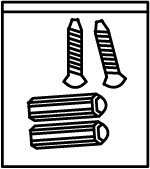
|
Screw Kit |
1 pc |
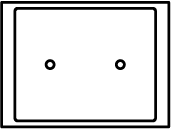
|
Position Sticker |
1 pc |
|
Camera Mount |
1 pc |
| Number | Description | Number | Description |
|---|---|---|---|
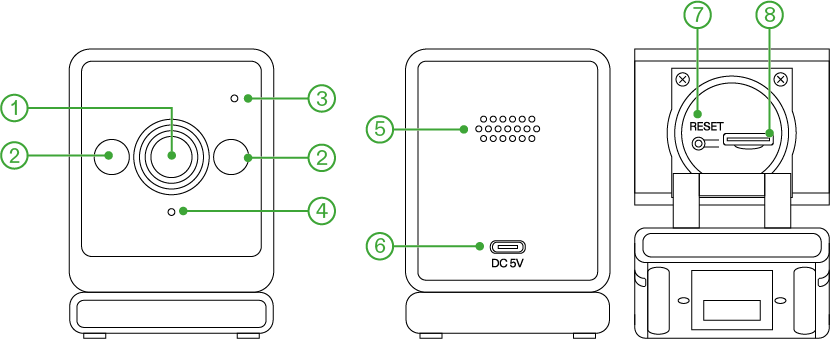
① |
Lens |
② |
IR LED |
③ |
Mic |
④ |
LED Indicator |
⑤ |
Speaker |
⑥ |
Power Supply Port |
⑦ |
Reset Button |
⑧ |
MicroSD Card Slot |
Specifications
Model |
VSC-GCC4 |
Dimensions |
1.8"x2"x3" (4.57× 5.08× 7.62 cm) |
Input |
DC 5 V 1 A |
Resolution |
2564×1440 |
Lens |
FOV 117° |
IR |
2 × 920 nm IR LEDs |
Wi-Fi |
2.4 GHz Wi-Fi |
SD Card |
Up to 512 GB |
Water Resistance |
IP54 |
Wi-Fi operation frequency |
2412MHz~2484MHz |
Wi-Fi maximum output |
14dBm |
Setup
NOTICE
Ensure both your phone and the device are connected to the same Wi-Fi network.
For local storage, ensure you insert the microSD card before powering on the device to avoid potential damage.
If the device doesn’t enter pairing mode, press and hold the reset button until you hear, "Restoring factory settings, please do not power off." The camera will automatically enter pairing mode once the reset is complete.
Step 1
Download the Vivosun app. Search ‘Vivosun” in the App Store or in the Google Play Store to download the Vivosun app.
Step 2
Connect the camera to a power outlet and wait for 5 seconds. You will hear the message, "Waiting to connect, please configure the network according to the instructions." and the status light will flash blue rapidly. This indicates that the camera is in pairing mode and ready to connect.
Step 3
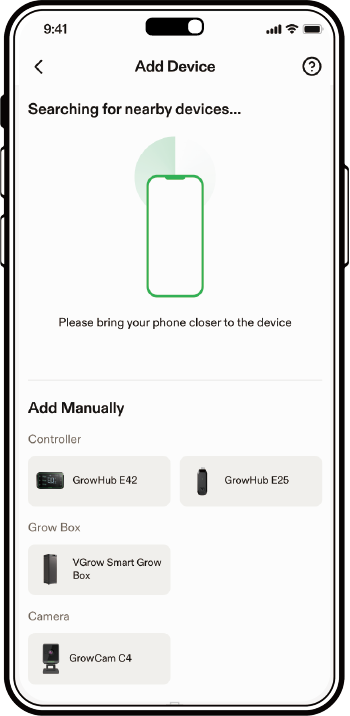
Tap "+" or  to add a device
and select "GrowCam C4". Follow the instructions in the Vivosun App to finish setting up the device.
to add a device
and select "GrowCam C4". Follow the instructions in the Vivosun App to finish setting up the device.
LED Status Indicator
LED Indicator |
Status |
Rapid flashing blue light |
The device is trying to connect. |
Rapid flashing green light |
The device is connected and working properly (without a microSD card). |
Solid green light |
The device is connected and working properly (with a microSD card). |
Slow flashing green light |
Time-lapse or recording is in progress. |
Notice:
When the GrowCam C4 is disconnected from the network, the LED indicator will continuously flash blue until the connection is restored.
Installation
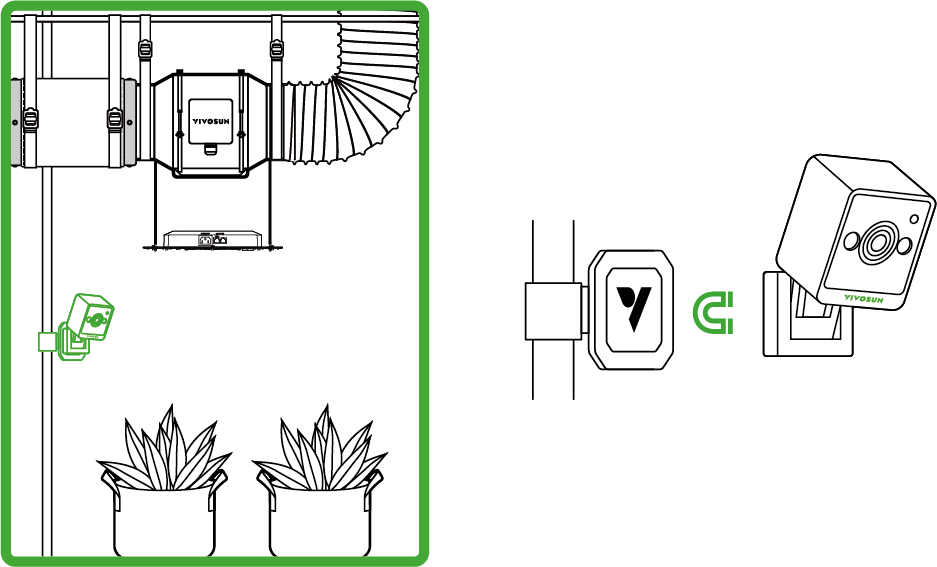
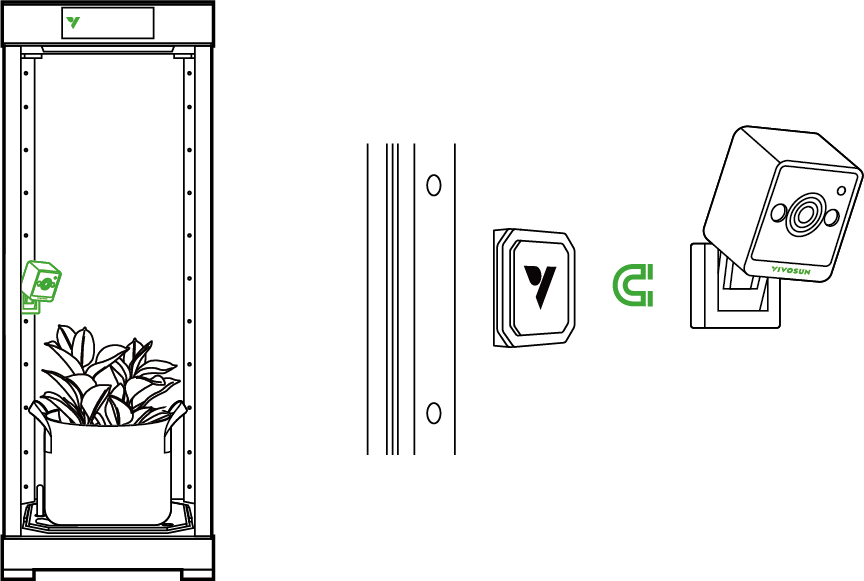
Notice: Please install away from grow lights to avoid overheating.
Grow Tent
VGrow Smart Grow Box
Warranty
VIVOSUN offers a 2-year limited warranty on this product purchased directly from us or our authorized dealers, beginning on the original date of purchase.
This warranty is provided in addition to, and does not affect, your statutory rights under applicable consumer protection laws in the country where the product was purchased.
For the full Warranty Policy, please visit: https://www.vivosun.com/help/warranty-policy
Alternatively, you may contact customer service at support@vivosun.com / +1 888-505-8486.
Safety Information
-
Carefully review all instructions before installing and using this product.
-
Plug the product in correctly and keep it out of reach of children.
-
This product is intended for dry, indoor use only. Avoid using it in hazardous environments such as flammable, explosive, chemical-laden, or wet areas.
-
If your device or power cord is damaged, please contact us immediately. Do not disassemble or modify the devices without Vivosun’s direction, it may cause damage to the device and will void the warranty.
FCC Warning
Any changes or modifications not expressly approved by the party responsible for compliance could void the user’s authority to operate this equipment. This device complies with part 15 of the FCC Rules. Operation is subject to the following two conditions: (1) This device may not cause harmful interference, and (2) This device must accept any interference received, including interference that may cause undesired operation. This equipment has been tested and found to comply with the limits for a Class B digital device, pursuant to Part 15 of the FCC Rules. These limits are designed to provide reasonable protection against harmful interference in a residential installation. This equipment generates, uses, and can radiate radio frequency energy and, if not installed and used in accordance with the instructions, may cause harmful interference to radio communications. However, there is no guarantee that interference will not occur in a particular installation. If this equipment does cause harmful interference to radio or television reception, which can be determined by turning the equipment off and on, the user is encouraged to try to correct the interference by one or more of the following measures:
-
Reorient or relocate the receiving antenna.
-
Increase the separation between the equipment and receiver.
-
Connect the equipment into an outlet on a circuit different from that to which the receiver is connected.
-
Consult the dealer or an experienced radio/TV technician for help.
FCC Radiation Exposure Statement
This equipment complies with FCC radiation exposure limits set forth for an uncontrolled environment. This transmitter must not be co-located or operating in conjunction with any other antenna or transmitter.
ISED RSS Warning
This device complies with ISED licence-exempt RSS standard(s). Operation is subject to the following two conditions: (1) this device may not cause interference, and (2) this device must accept any interference, including interference that may cause undesired operation of the device.
ISED Radiation Exposure Statement
This equipment complies with ISED RF radiation exposure limits set forth for an uncontrolled environment. This transmitter must not be co-located or operating in conjunction with any other antenna or transmitter. This equipment should be installed and operated with minimum distance 20 cm between the radiator & your body. Any changes or modifications not expressly approved by the party res responsible for compliance could void the user’s authority to operate the equipment.
Contents

We help you grow your best green.

We provide the highest quality.

We relentlessly pursue the future.

We make growing more enjoyable.

We support every grower.
Sign up and get 8% off your first order
©2026 Vivosun All Rights Reserved